
Electronics and Arduino Fundamentals – From Zero to Your First Project
Share Course
Page Link
Share on social media
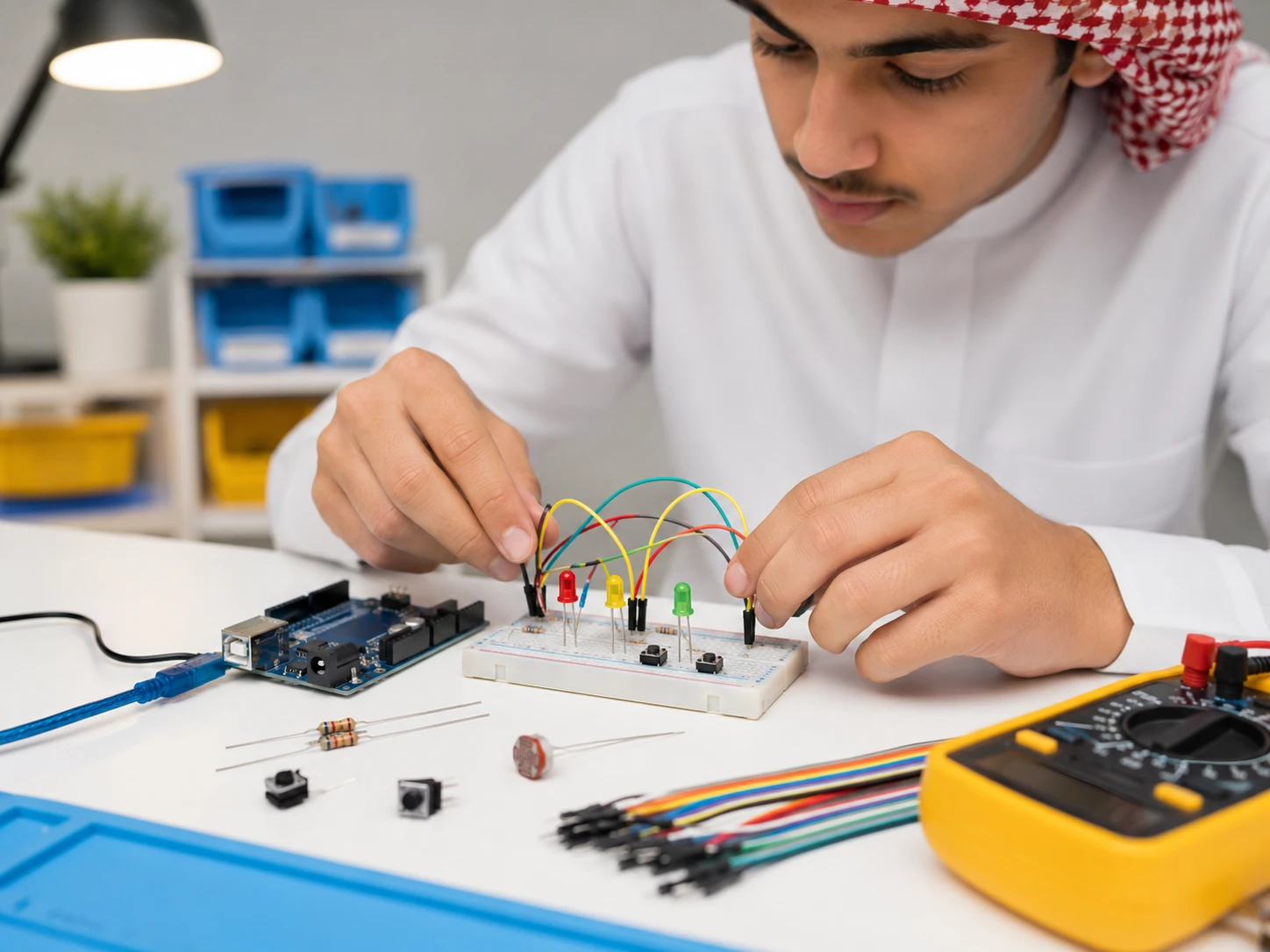
About the course
This course is the practical starting point for getting into electronics and Arduino. It is designed for complete beginners with no prior experience and takes you step by step from understanding electricity and the basic components to wiring circuits and writing and running programs yourself.
You won't just watch explanations or copy code;
you'll understand the idea first, then simulate it in
Tinkercad, then apply it with an Arduino and real components. By the end of the course, you'll bring together everything you've learned to build
a complete traffic-light project.
🎁 Founders' offer
Enroll in this course now and get the next two courses free when they're released:
✅ Level 2 — Sensors and smart projects
✅ Level 3 — Internet of Things (IoT) with ESP32
At no extra cost.
Offer valid until 31 December 2026.
What’s inside the lessons?
Clear, well-organized video
In Full HD, in short lessons: 6 minutes on average.
Clear explanations in Arabic
With the English terms you’ll meet everywhere.
Simulation on Tinkercad
Try the circuit before you buy a single part.
Code and wiring diagram
Every exercise’s code, ready to copy, with its wiring diagram in the same lesson.
The Level 1 book
108 pages of steps and wiring drawings, to review without the video.
Ask the instructor
Your question reaches the instructor from inside the lesson itself.
33lessons, in one order
8units
3+hours of focused video
108pages in the Level 1 book
14day money-back guarantee
What will I learn?
- What Arduino is, its parts, and how it controls electronic circuits
- Installing the Arduino IDE and using Tinkercad to simulate circuits
- Voltage, current and resistance, plus series and parallel circuits
- Building circuits on a breadboard and wiring components correctly
- Using a multimeter to measure voltage, resistance and current safely
- Reading buttons and controlling LEDs with digital inputs and outputs
- Linking inputs to outputs with conditional statements
- Using variables to organize your code and control how a project behaves
- Finding and fixing wiring and code errors methodically
- Building, simulating and wiring a traffic-light project with a pedestrian button
What can you do after each unit?
Each unit builds on the one before it, and you don’t need to know anything before Unit 1.
- 1Unit 14 lessons
Get started with Arduino
You learn what Arduino is and what it can do, install the Arduino IDE, and build your first projects virtually on Tinkercad.
- 2Unit 26 lessons
From electricity to your first real circuit
You build your first circuit in the simulator, then on a real breadboard, and understand voltage, current, resistance, and series and parallel circuits.
- 3Unit 34 lessons
Master measurement with a multimeter
You measure voltage, resistance and current yourself, safely, and check your parts before you use them.
- 4Unit 47 lessons
Make Arduino listen to your commands
You make Arduino read buttons, then sense what is around it, and try each idea in the simulator first, then by hand.
- 5Unit 53 lessons
Make Arduino carry out your commands
You control lights and devices from your code in a real circuit.
- 6Unit 63 lessons
Turn signals into decisions
You link inputs to outputs with if, and build your first complete control system by hand.
- 7Unit 73 lessons
Organize your code with variables
You write tidy code that you can still read a month later, and change it with confidence.
- Unit 83 lessons
Your first applied project
You plan a three-light traffic signal, test it in the simulator, then build it by hand: from zero to a complete project. Then extra challenges with solutions, including a pedestrian button.
Level 1 finish line - Right afterFree with Level 1 until 31 December 2026
Level 2: Smart sensors and control basics
Course content
Unit 1: Get started with Arduino
-
12:31
-
07:08
-
Get to know the Arduino programming environment
07:40 -
Build your projects virtually with Tinkercad
06:09
Unit 2: From electricity to your first real circuit
-
Meet the electric circuit and the breadboard
05:55 -
Build your first circuit in simulation
08:42 -
Take your circuit from simulation to reality
03:26 -
Voltage, current and resistance made simple
12:09 -
Discover how series circuits work
04:01 -
Discover how parallel circuits work
03:59
Unit 3: Master measurement with a multimeter
-
Meet the multimeter and use it correctly
04:24 -
Measure voltage with confidence
07:40 -
Measure resistance and check your components
06:10 -
Measure current safely
05:16
Unit 4: Make Arduino listen to your commands
-
Digital inputs 1: understand the idea
08:18 -
Digital inputs 1: try it hands-on
06:20 -
Digital inputs 2: expand your control options
04:55 -
Digital inputs 2: try it in simulation and for real
04:03 -
Digital inputs 3: make your project sense its surroundings
06:11 -
Digital inputs 3: test it in simulation
02:17 -
Digital inputs 3: build it for real
06:01
Unit 5: Make Arduino carry out your commands
-
Digital outputs: understand how Arduino controls things
04:48 -
Digital outputs: test them in simulation
02:39 -
Digital outputs: control a real circuit
06:26
Unit 6: Turn signals into decisions
-
Link inputs to outputs with if
05:34 -
Watch control logic work in simulation
05:13 -
Build a complete control system yourself
04:10
Unit 7: Organize your code with variables
-
Understand variables and write cleaner code
10:35 -
Test variables in simulation
06:20 -
Use variables in a hands-on build
06:27
Unit 8: Your first applied project
-
Traffic-light project: understand the system and plan it
07:45 -
Build the traffic light and test it in simulation
06:48 -
Build the traffic-light project for real
04:59
Frequently asked questions
Do I need prior experience?
The course starts from zero and explains the basics of electricity, electronics and programming without assuming any prior knowledge.
Do I need an Arduino board before I start?
You can start the lessons and do the exercises in the Tinkercad simulator, then buy the components and work on a real board later.
Do I need to buy all the components?
They're not needed to start, but working with real components gives you better hands-on experience. You'll find a clear list of the required components inside the course.
Can I follow the course on my phone?
You can watch the lessons on your phone, but running simulations and writing programs is easier on a computer.
Is the course theoretical or practical?
The course is practical, backed by the theory you need. You'll understand the concept, simulate it, then apply it in real circuits and projects.
What can I learn after finishing this course?
You'll be ready to move on to sensors, smart systems and the Internet of Things, then continue the Kahrobot path toward automation and robotics.
What if I get stuck while learning?
Reach us through the "Contact us" page and describe the problem, and we'll help you find the right solution.
49$
75$
-
LevelBeginner
-
Last Updated20 October 2026
-
CertificateCertificate of completion
Hi, Welcome back!
A course by

What you'll get
- Access to all Level 1 lessons
- Copy-ready code for the exercises and projects, inside the lessons
- Step-by-step Tinkercad circuit simulations in the videos
- Wiring diagrams and lists of the required components
- A reference guide to the key Arduino commands and concepts
- Hands-on exercises and a traffic-light project with a pedestrian button
- The Level 1 book (PDF, 108 pages)
- A summary of every Level 1 lesson (PDF, 41 pages)
- Troubleshooting guide: circuit not working? (PDF)
- Extra challenges with solutions (PDF)
- Project notebook to plan and document your projects (PDF)
- Printable Arduino UNO pinout map (PDF)
- Printable Arduino cheat sheet for beginners (PDF)
What do you need to start?
- No prior experience needed
- A computer and an internet connection
- A free Tinkercad account for the simulations
- The free Arduino IDE, once you start working on a real board
- For hands-on practice: an Arduino Uno, a breadboard, LEDs, buttons, resistors and jumper wires
- A digital multimeter for the measurement lessons
- You can start with simulation first, then get the components and practice for real later
Tags
This course is for you if…
- You're a complete beginner who wants to learn electronics and Arduino from zero
- You're a secondary-school or university student looking for a clear, practical foundation
- You've watched scattered lessons before but need an organized, connected path
- You're a hobbyist or maker who wants to build your first circuits yourself
- You prefer learning through simulation and practice rather than theory alone
- You want a solid foundation before moving on to IoT, automation and robotics
- You're a parent looking for a practical, well-structured start in technology for your son or daughter
About the instructor
Learn with Engineer Rakan
An industrial automation and control engineer with hands-on experience in advanced manufacturing environments, where he has developed and troubleshot control systems, robots and industrial communication networks. He holds a master's degree in engineering and is a certified CMRP.
He designed this course to give beginners the practical foundation that scattered lessons don't provide: you learn how to understand a circuit, simulate it, build it and find its faults yourself.
The goal isn't to memorize ready-made code, but to learn how to think, build and solve problems like an engineer.